For company secretaries
Running a meeting: attendance, votes and actions
Use In the meeting to record who's there, note conflicts, put resolutions to the vote, record votes given in the room and assign actions as you go.
Updated
On the day, Priya runs the May board meeting from the meeting’s In the meeting tab. Everything she records there flows into the minutes.
Before the meeting
Directors can say I’ll be there or Send an apology, and declare a conflict on any item, from the same tab. You’ll see their answers as they come in.
Start the meeting and record attendance
Choose Start the meeting. For each person, mark them Present, Apology, Proxy (with the proxy’s name) or Absent. The count of who’s present is shown at the top.
Conflicts
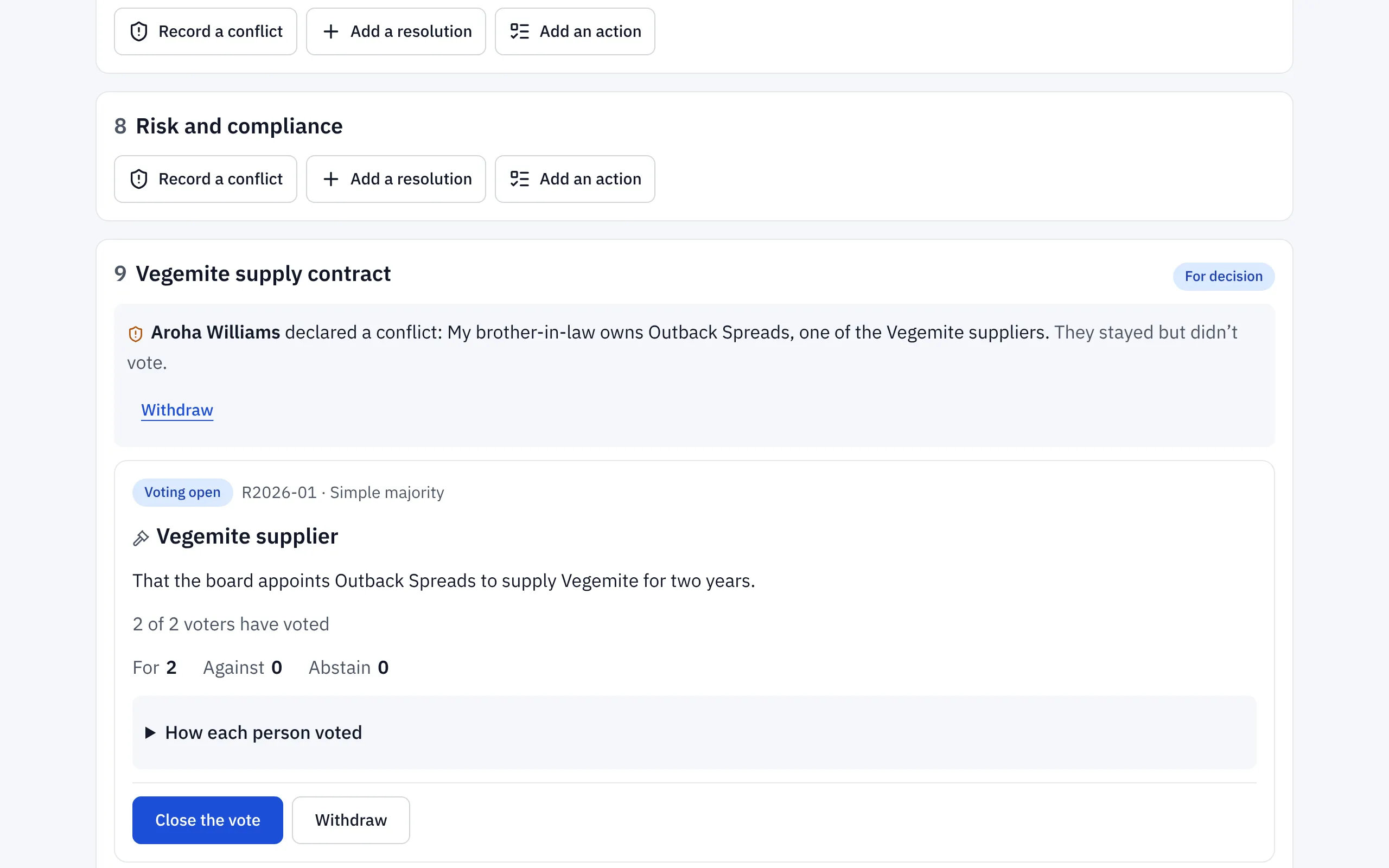
Conflicts declared before the meeting are shown on their item. If someone declares one in the room, choose Record a conflict on the item. Ratify records what the conflict is and what happened, for example that they stayed but didn’t vote, and adds it to the conflict-of-interest register.
Resolutions and votes
- On the item, choose Add a resolution. Give it a short title and the wording.
- Choose Put to the vote. Directors with a conflict on the item are left out of the vote automatically.
- Directors vote For, Against or Abstain in Ratify, on their own device.
- For someone voting in the room without a device, choose Record [their name]’s vote.
- The chair or secretary chooses Close the vote. The result, and how each person voted, are recorded.
Actions
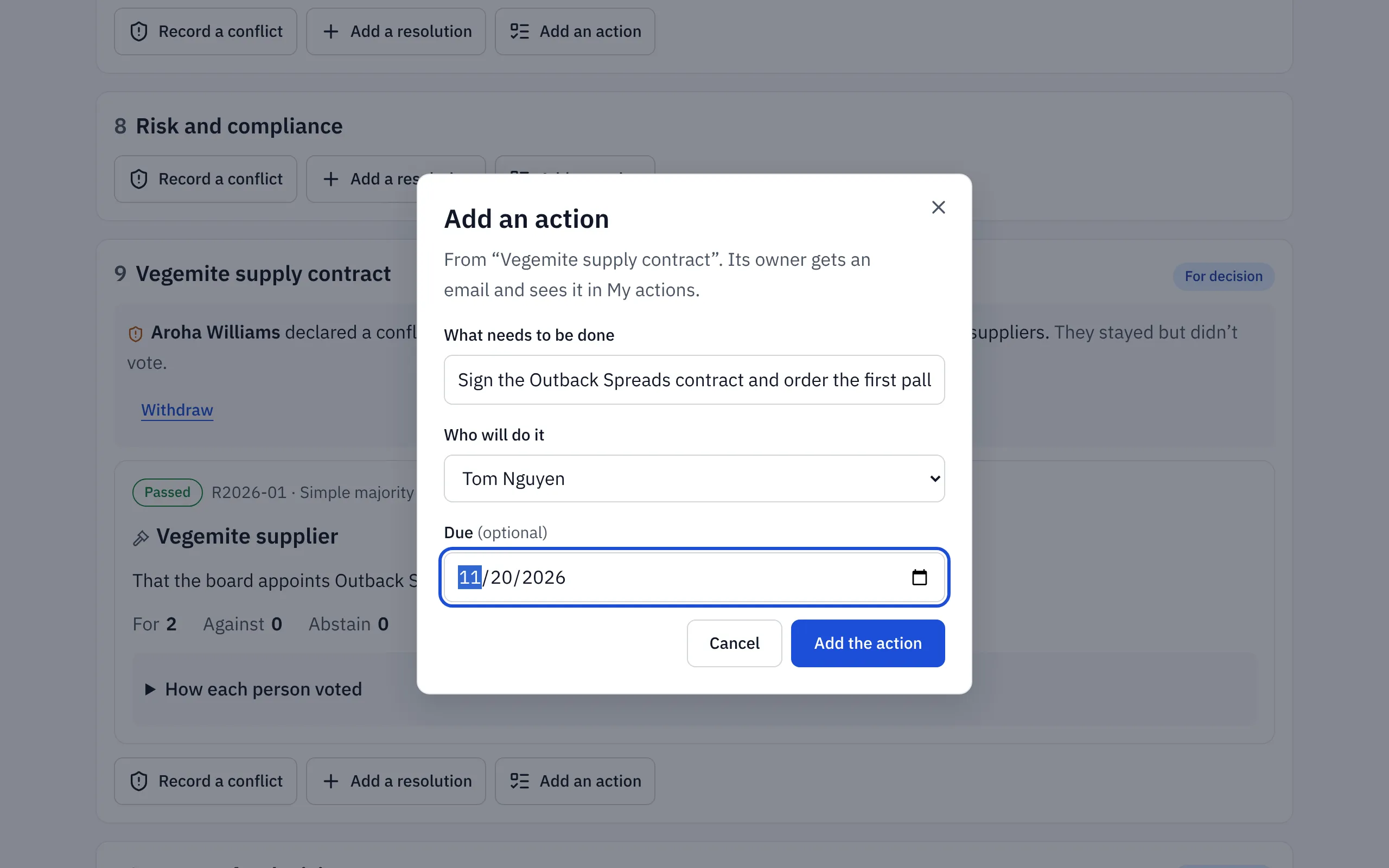
Choose Add an action on the item. Say what needs to be done, who will do it and when it’s due. They’re emailed straight away, and it appears in their My actions.
End the meeting
Choose End the meeting. Then choose Write the minutes to draft the minutes alongside everything you recorded.
Related help
- Voting on a resolution
Vote For, Against or Abstain on a resolution in a meeting or between meetings. Your vote is final once you confirm it, and you can see how each person voted.
- Declaring a conflict of interest
Tell the board about a conflict on an agenda item before or during the meeting, or on a circular resolution. Ratify records it and leaves you out of the vote.
- Writing the minutes and getting them signed
Draft the minutes beside what Ratify recorded in the meeting, send them to the chair, make changes, circulate them to the board and have the chair sign.