For company secretaries
Writing the minutes and getting them signed
Draft the minutes beside what Ratify recorded in the meeting, send them to the chair, make changes, circulate them to the board and have the chair sign.
Updated
After the May meeting, Priya writes the minutes, Margaret reviews them, and Margaret signs them as a true record.
1. Draft
Open the meeting’s Minutes tab (or choose Write the minutes when you end the meeting). Ratify has already filled in what it recorded:
- attendance, from the run sheet
- conflicts declared, and what happened
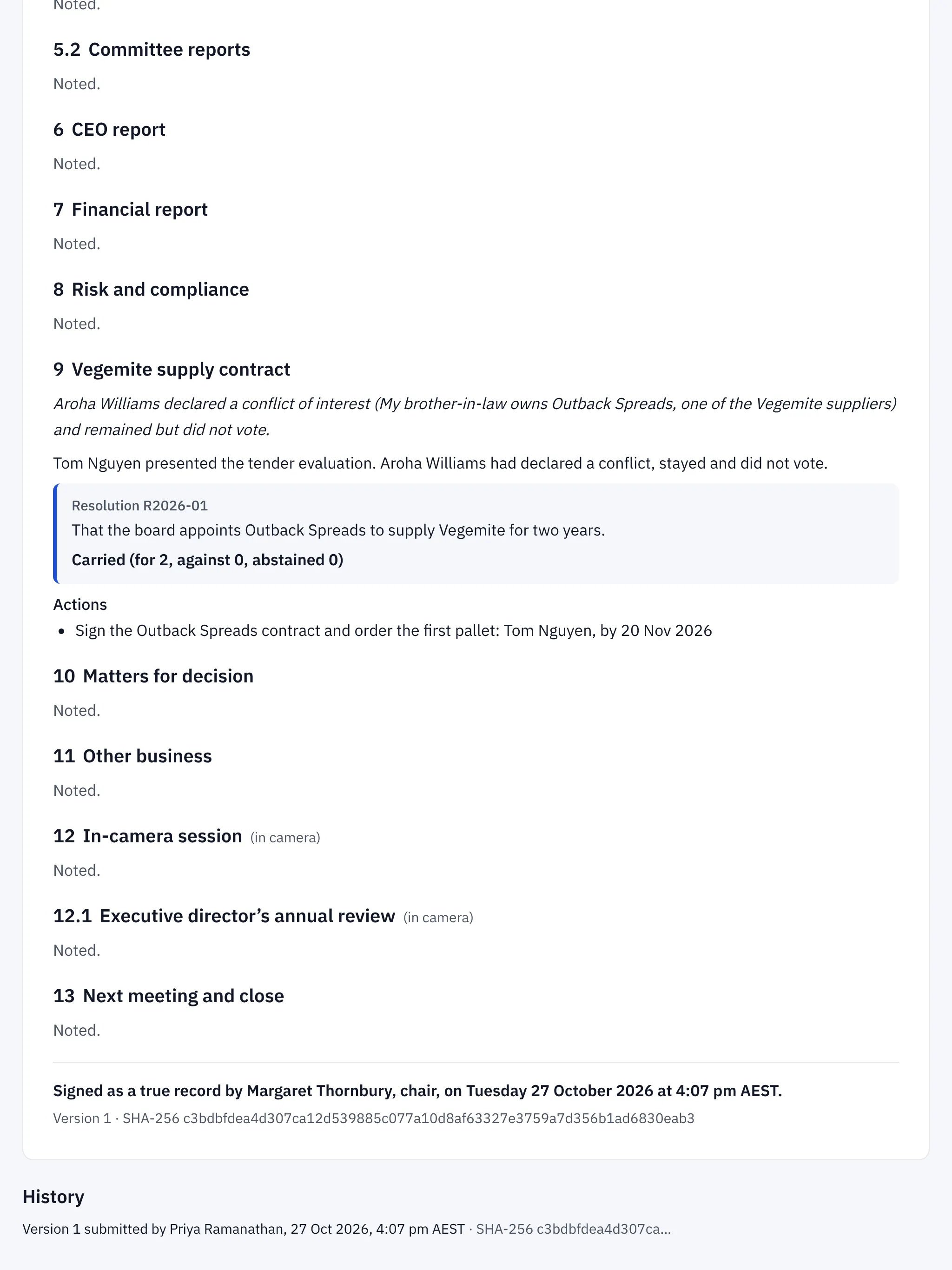
- each resolution and its result, for example Carried (for 2, against 0, abstained 0)
- actions, with their owner and due date
You write the narrative for each item. Leave an item blank and it reads Noted. Ratify saves as you type. Look for All changes saved at the bottom.
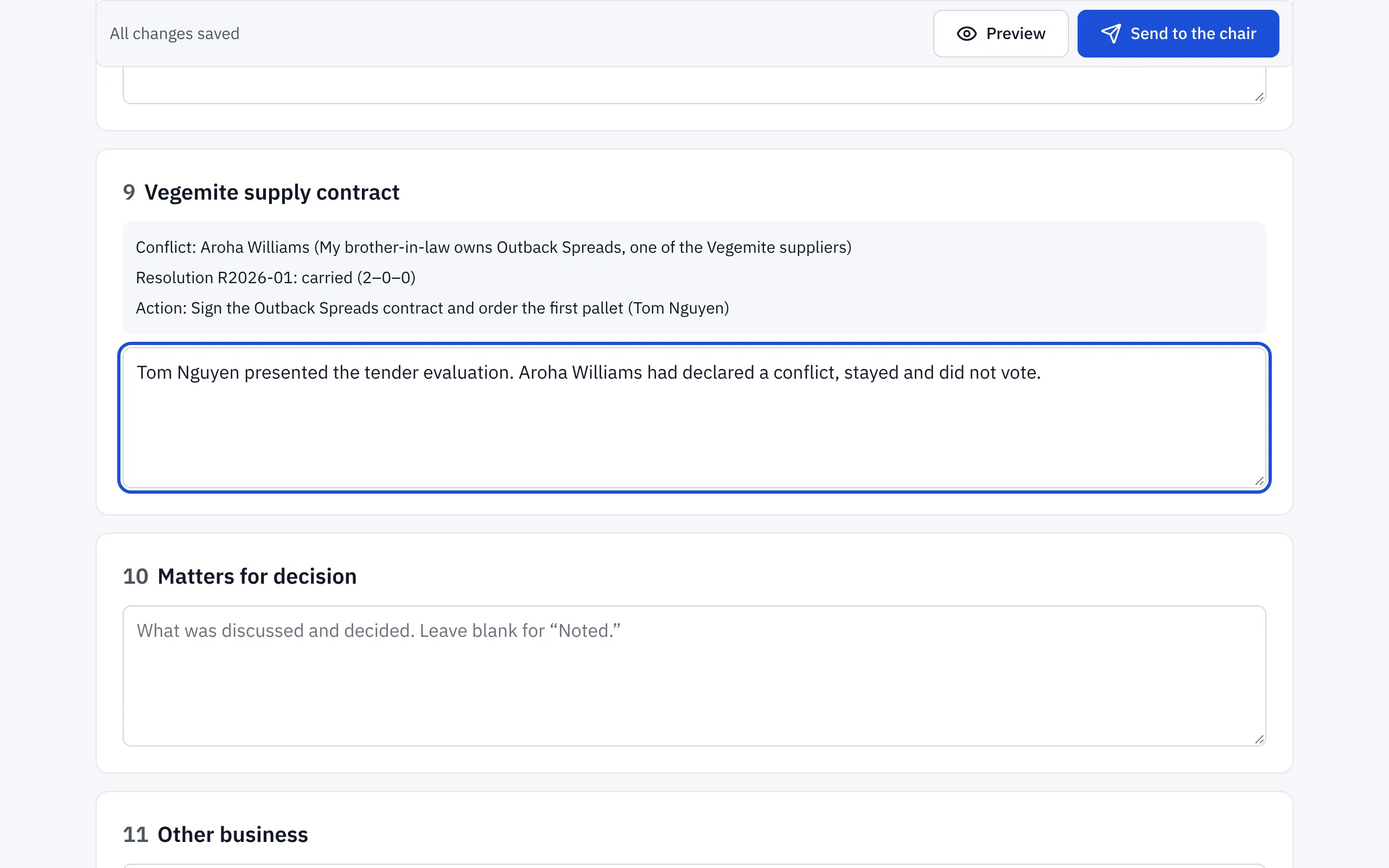
Choose Preview to see the minutes as the board will.
2. Send to the chair
Choose Send to the chair. The chair gets an email and can:
- Send back with a note, saying what should change. You’ll see their note at the top of the draft. Make the changes and send again; each submission is a new version.
- Approve and circulate to the board, so every director can read the draft minutes before they’re confirmed.
3. Sign
When the board is happy with them (many boards confirm minutes at their next meeting), the chair chooses Sign as a true record, then Sign the minutes. Ratify records who signed and when, and a SHA-256 fingerprint of the signed text, so anyone can show later that they haven’t changed.
In-camera items
Observers see only the heading of an in-camera item in the minutes, with Discussed in camera. in place of the detail.
Related help
- Running a meeting: attendance, votes and actions
Use In the meeting to record who's there, note conflicts, put resolutions to the vote, record votes given in the room and assign actions as you go.
- The decision and conflict-of-interest registers
Every resolution and every declared conflict, in two registers Ratify keeps for you, with links to where each was decided, and a CSV download.