For directors and the chair
Voting on a resolution
Vote For, Against or Abstain on a resolution in a meeting or between meetings. Your vote is final once you confirm it, and you can see how each person voted.
Updated
In a meeting
When the company secretary puts a resolution to the vote, it appears on the item under In the meeting, marked Voting open. Choose For, Against or Abstain, check what you’re voting for, and confirm. Here Margaret votes for appointing Outback Spreads.
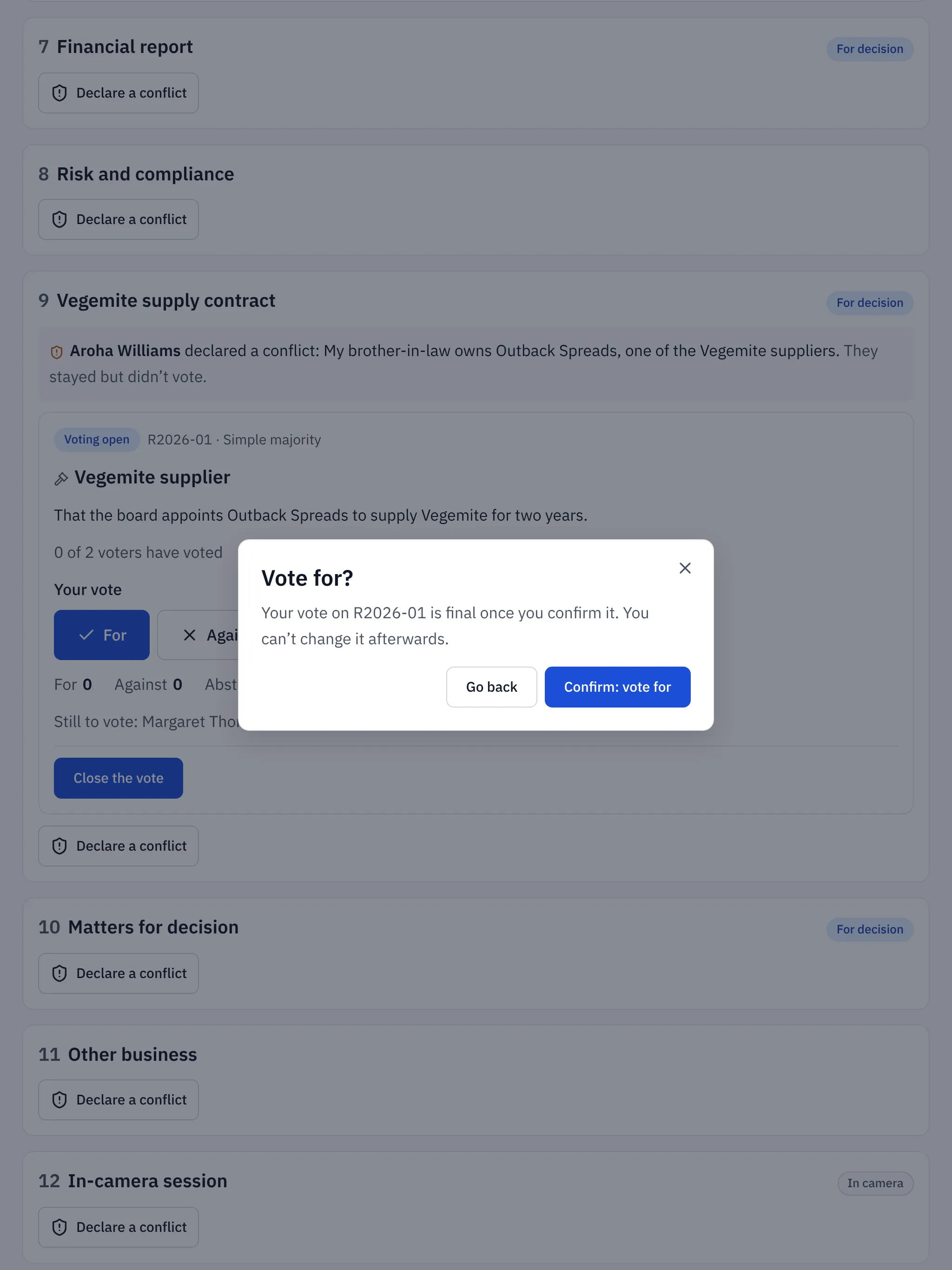
Your vote is final once you confirm it. You’ll see You voted for. (or against, or abstained), and how many voters have voted so far.
If you’re in the room without a device, tell the secretary how you vote and they’ll record it for you. The record shows that the secretary recorded it.
The chair or company secretary closes the vote. Then everyone can see the result and open How each person voted.
Between meetings
A circular resolution arrives by email and on your home page as Your vote is needed. Open it, vote and confirm, the same way. It’s decided as soon as the result is certain, or when voting closes.
When you can’t vote
If you’ve declared a conflict on the item, you’re left out of the vote. Observers and billing contacts never vote.
Related help
- Declaring a conflict of interest
Tell the board about a conflict on an agenda item before or during the meeting, or on a circular resolution. Ratify records it and leaves you out of the vote.
- Circular resolutions: deciding between meetings
Put a resolution to the directors in writing, set when voting closes and what it needs to pass, and let Ratify decide it as soon as the result is certain.
- Running a meeting: attendance, votes and actions
Use In the meeting to record who's there, note conflicts, put resolutions to the vote, record votes given in the room and assign actions as you go.