For company secretaries
Circular resolutions: deciding between meetings
Put a resolution to the directors in writing, set when voting closes and what it needs to pass, and let Ratify decide it as soon as the result is certain.
Updated
Drop Bear Rescue needs to adopt a new drop bear sighting protocol before the next meeting. Priya puts it to the directors in writing.
Check your constitution first. It says whether circular resolutions are allowed and what they need to pass.
1. Write the resolution
Go to Resolutions and choose Put a resolution in writing. Fill in:
- Short title and The resolution: the exact wording directors vote on
- Who votes: the full board or a committee
- Passes with: simple majority, two-thirds majority, unanimous (no one against), or every eligible director in favour
- Voting closes: a date and time
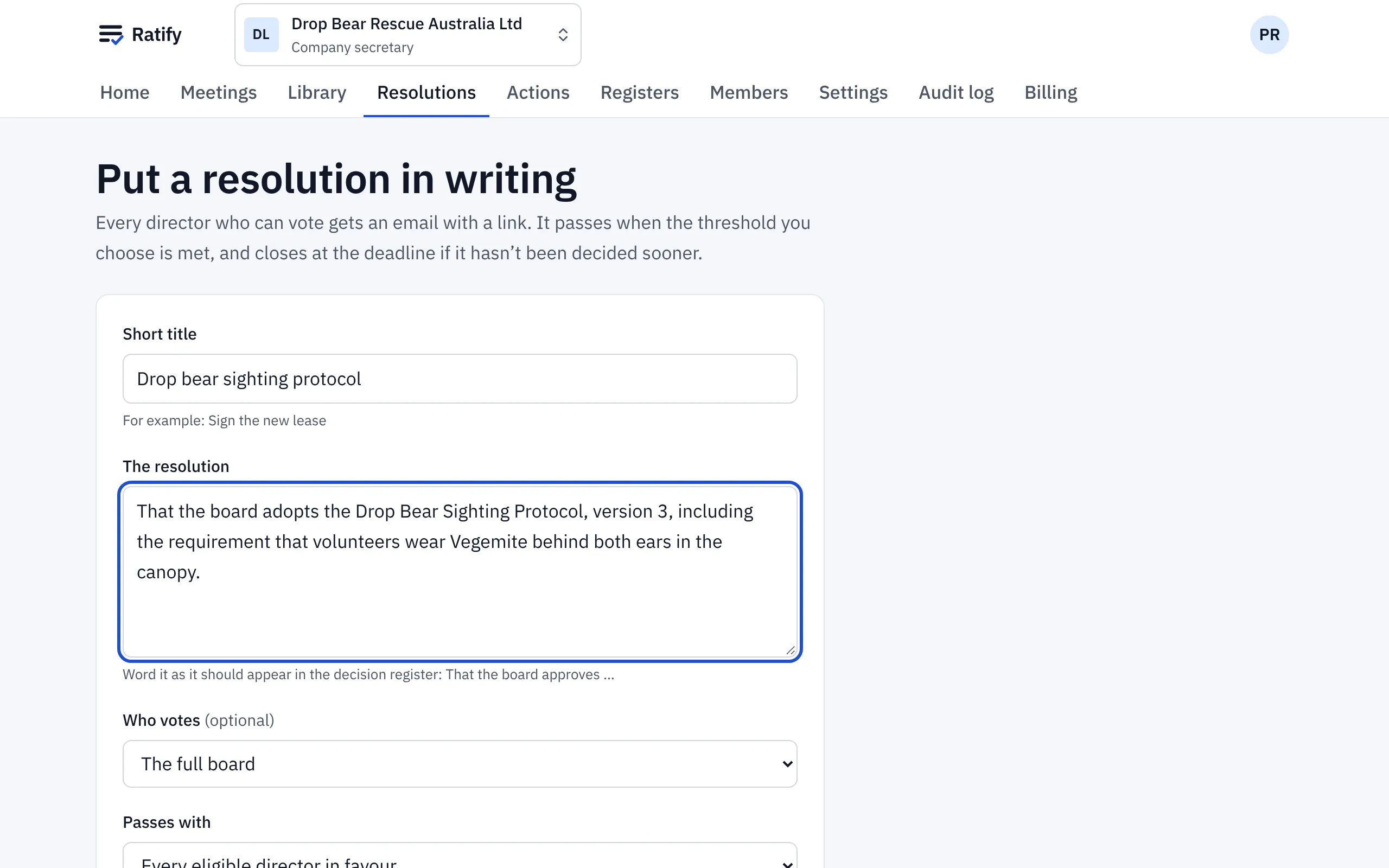
Choose Open voting and email the directors. Each director gets an email and a prompt on their home page.
2. Directors vote
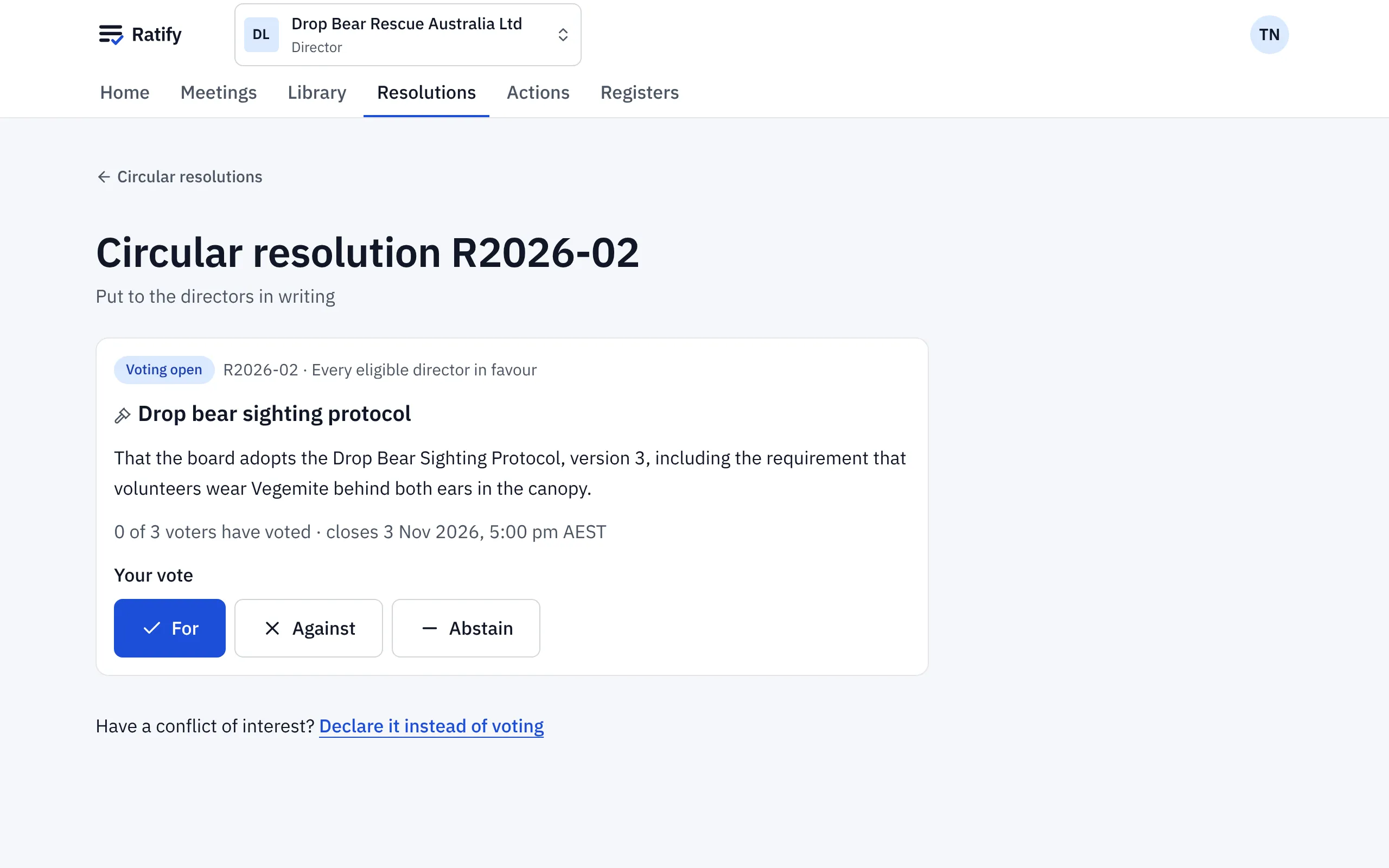
Directors open the resolution and vote For, Against or Abstain, then confirm. A vote is final once confirmed. A director with a conflict chooses Declare it instead of voting and says what it is, so they’re left out of the count.
3. The result
Ratify decides the resolution as soon as the result is certain: when everyone eligible has voted, or when it can no longer pass or can no longer fail. Otherwise it’s decided when voting closes. The result goes into the decision register.
Related help
- Voting on a resolution
Vote For, Against or Abstain on a resolution in a meeting or between meetings. Your vote is final once you confirm it, and you can see how each person voted.
- The decision and conflict-of-interest registers
Every resolution and every declared conflict, in two registers Ratify keeps for you, with links to where each was decided, and a CSV download.