For company secretaries
Compiling and releasing a board pack
Turn the agenda and its papers into one board pack, preview it, then release it. Each person gets an email and their own copy, watermarked if you choose.
Updated
A board pack is the agenda and every paper in one document, with a contents page and links to each item. Priya compiles and releases the pack for the May meeting.
1. Compile
On the meeting page, once every paper is ready, choose Compile board pack. Ratify builds it in the background. It usually takes under a minute. When it’s done you’ll see Ready to release, with the version and page count.
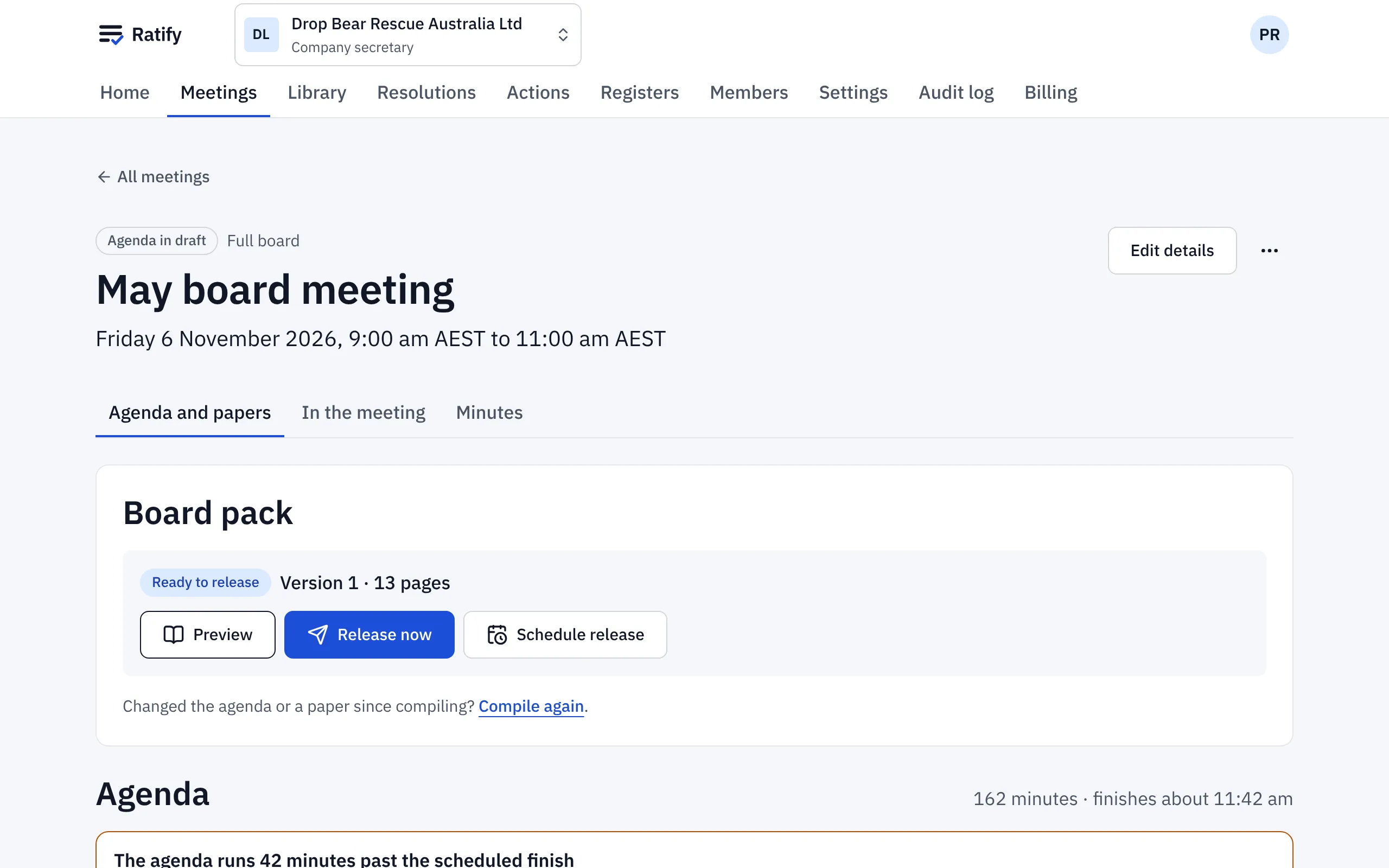
2. Preview
Choose Preview to read the full pack, marked Preview, not released. Only you can see it. Each person will receive only the papers they’re allowed to read. Use Jump to agenda item to check each paper is where it should be.
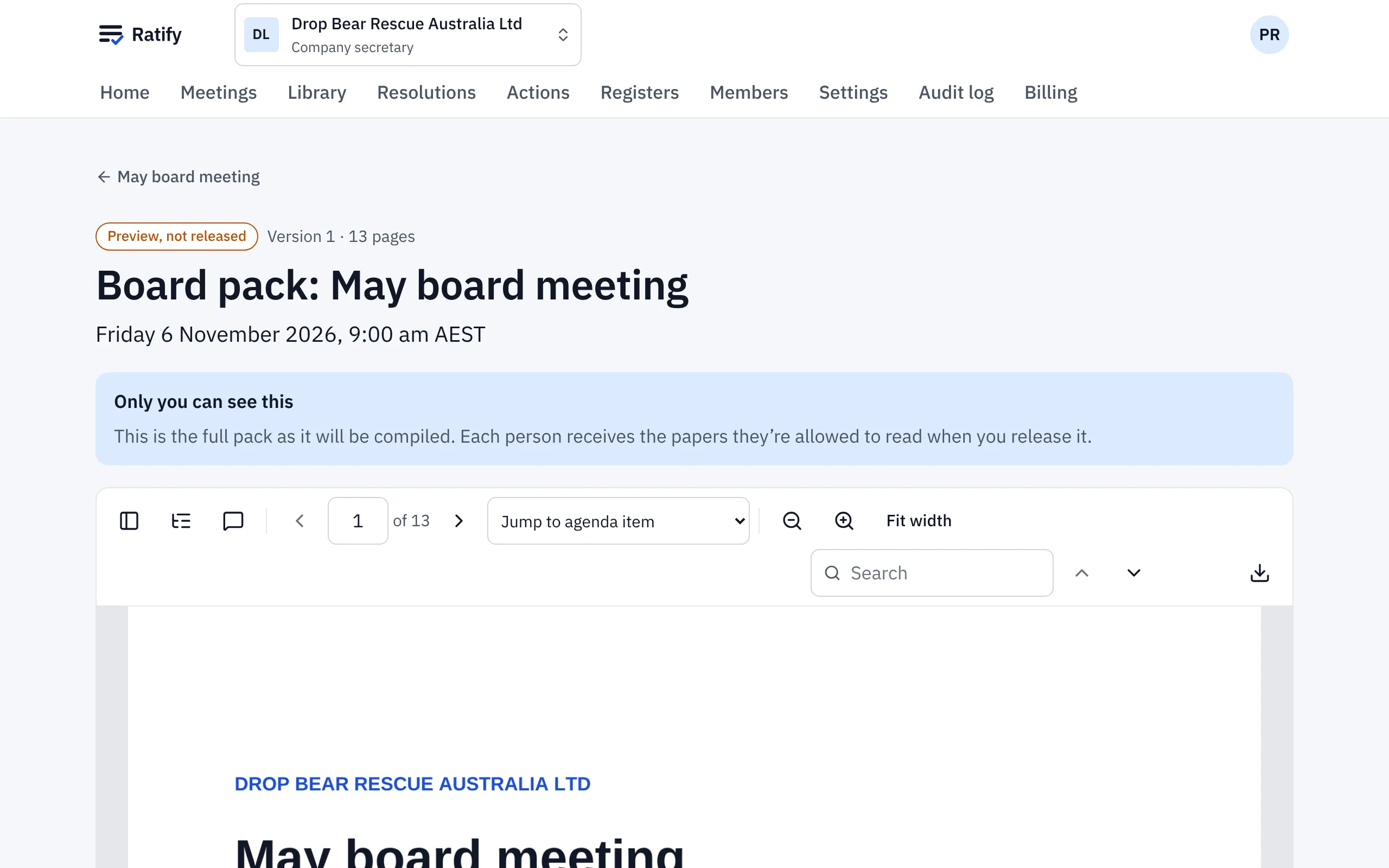
If something’s wrong, fix the agenda or replace a paper and compile again. Each compile is a new version.
3. Release
Choose Release now and confirm, or Schedule release to send it at a set time.
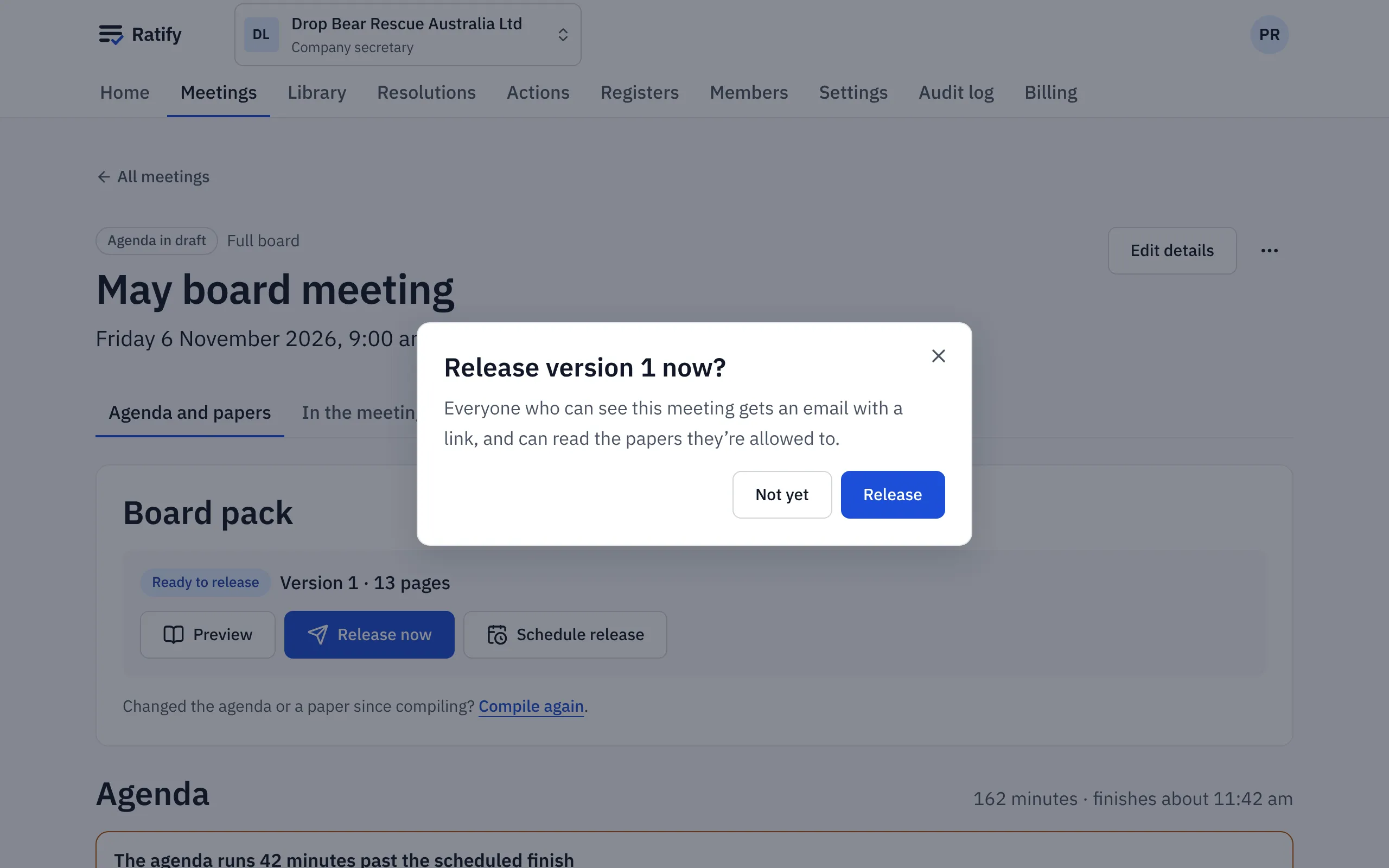
Everyone who can see the meeting gets one email with a link. There’s no attachment, so the pack never sits in anyone’s inbox. Each person gets their own copy:
- With watermarking on (Board settings), their name, email and the release time are printed on every page.
- Papers they can’t read are left out: committee papers for non-members, in-camera and confidential papers for observers, and papers withheld because of a declared conflict. Aroha’s copy doesn’t include the Vegemite tender.
Who has read it
After release, the panel shows how many people have opened the pack, and each person’s progress: Not opened, Started, Half read or Read. You can follow up with anyone who hasn’t opened it before the meeting.
Changing a released pack
Upload the corrected paper, compile again and release the new version. Everyone who had the earlier version gets an Updated board pack email.
Related help
- Scheduling a meeting and building the agenda
Schedule a board or committee meeting from a template, then add, reorder and nest agenda items, mark items for decision or in camera, and upload papers.
- Reading a board pack and making notes
Open the pack from your email or home page, jump to an agenda item, search, and highlight, keep private notes or comment, on a computer, iPad or phone.
- Board settings: watermarks, conflicts and sign-in
Choose whether board packs are watermarked, whether directors can read offline, whether a conflict withholds papers, and how members sign in.