For company secretaries
Scheduling a meeting and building the agenda
Schedule a board or committee meeting from a template, then add, reorder and nest agenda items, mark items for decision or in camera, and upload papers.
Updated
Priya schedules Drop Bear Rescue’s May board meeting and gets the agenda and papers ready.
1. Schedule the meeting
Go to Meetings and choose Schedule a meeting. Give it a title and a date, choose who it’s for (the full board or a committee), and pick a template:
- Board meeting: a standard agenda with apologies, conflicts, the previous minutes, a consent agenda, reports, matters for decision, an in-camera session and close.
- Committee meeting, Annual general meeting, or a Blank agenda.
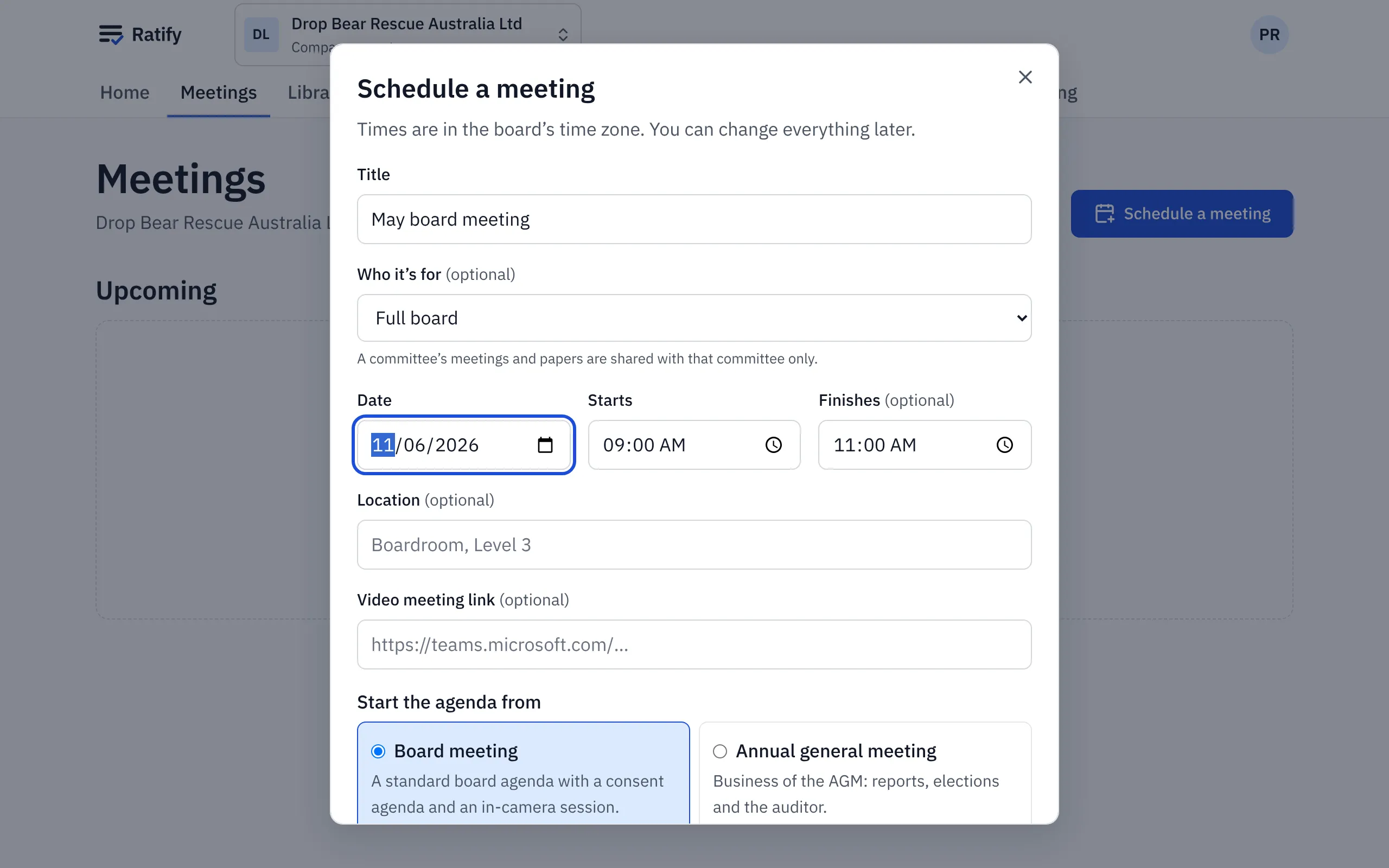
A committee meeting, and its papers, are only for that committee’s members (and the company secretary).
2. Build the agenda
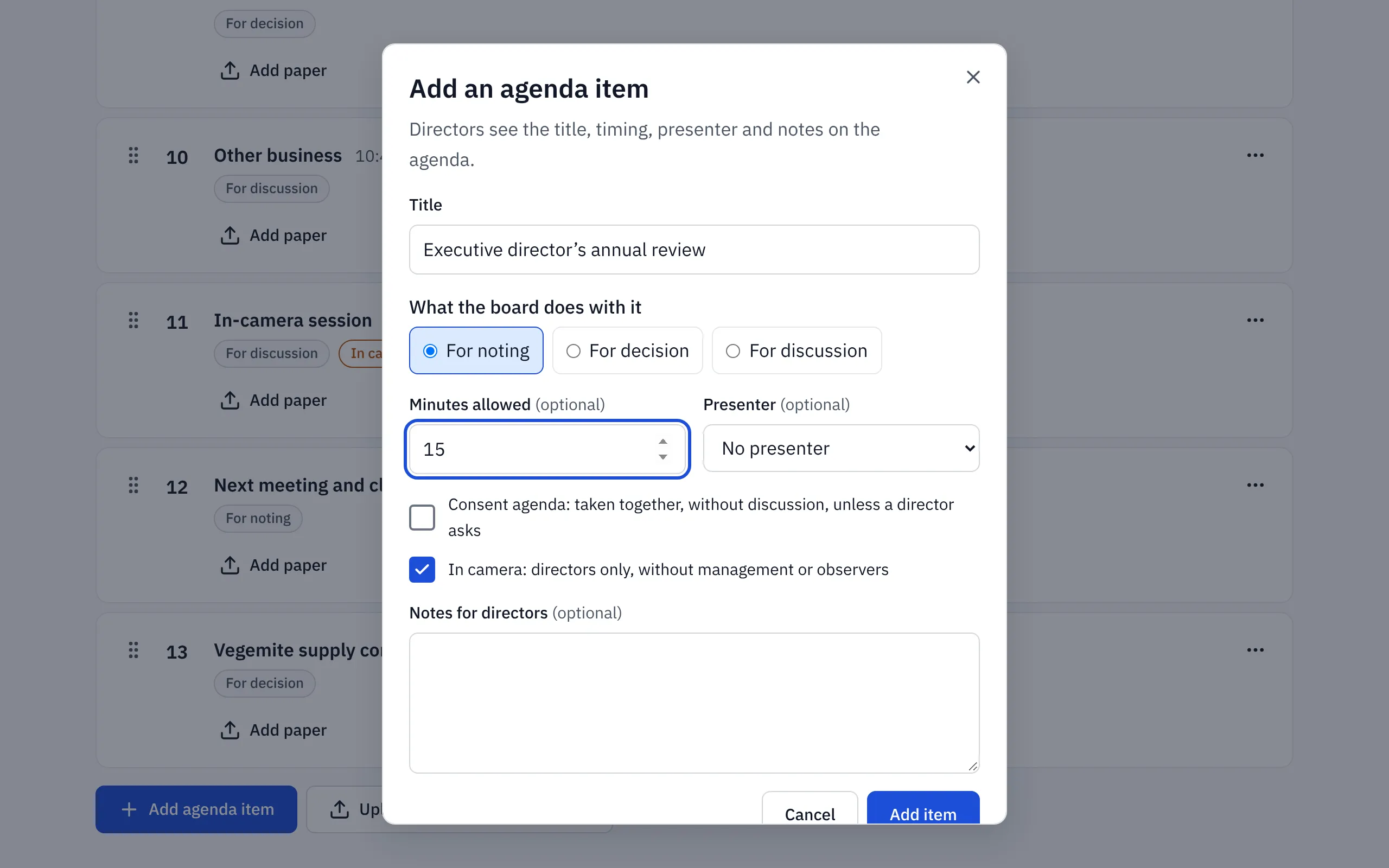
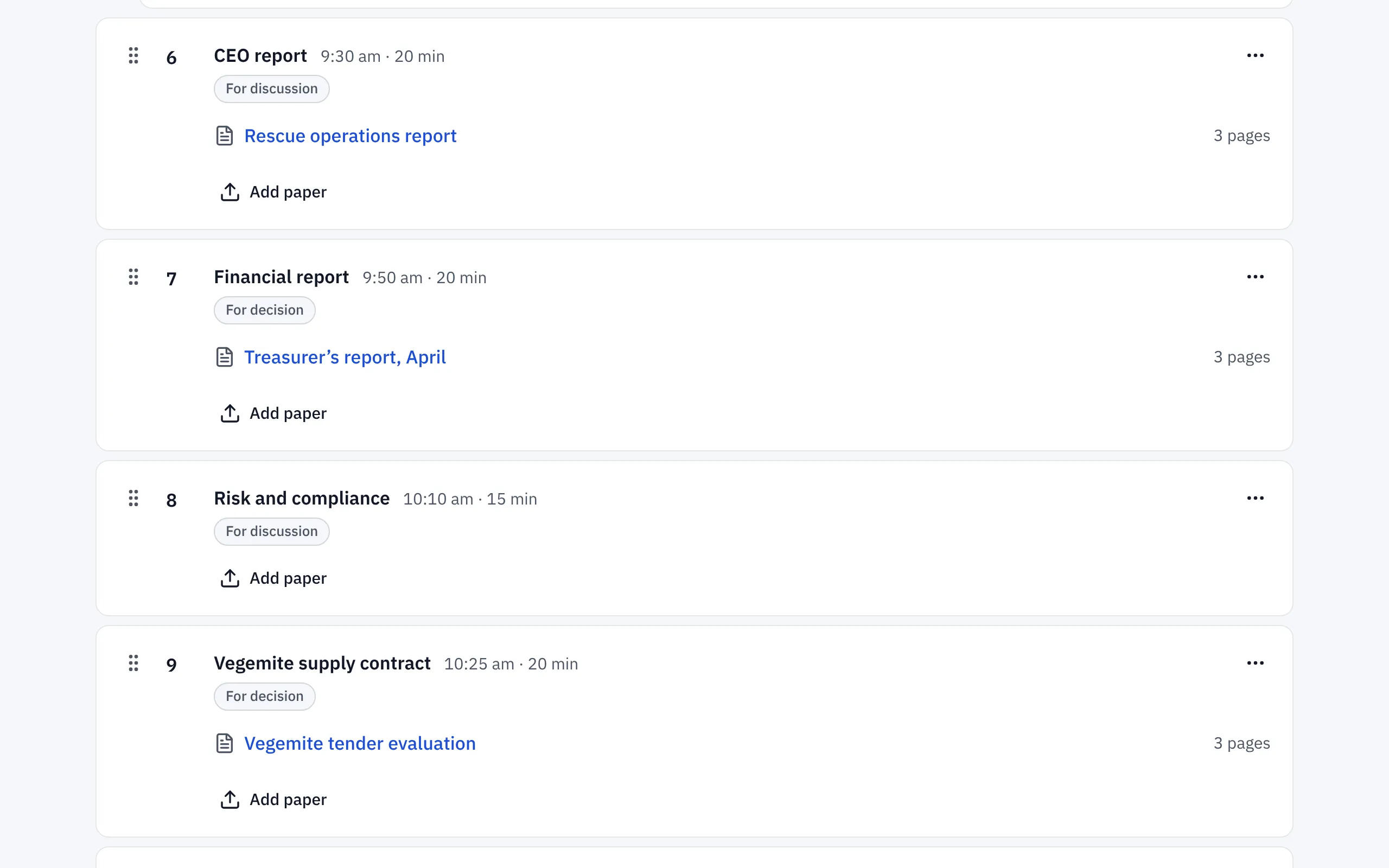
The template gives you numbered, timed items, and Ratify works out when the meeting should finish. Choose Add agenda item to add your own. For each item you can set:
- what it’s for: decision, discussion or noting
- the minutes allowed, which drive the timings
- a presenter and notes for directors
- Consent agenda: taken together, without discussion, unless a director asks
- In camera: directors only, without management or observers
To move an item, drag it by its handle, or use its ⋯ menu: Move up, Move down or Make sub-item of the one above. Dragging works from the keyboard too: focus the handle, press Space, use the arrow keys, then press Space again.
Priya adds Vegemite supply contract for decision and moves it above Matters for decision. She makes the Executive director’s annual review a sub-item of the in-camera session.
3. Upload papers
Choose the upload button on an agenda item and pick the file. PDFs are best. Word, Excel and PowerPoint files are converted for reading. Each paper is checked for viruses and prepared for the reader. The item shows its page count when it’s ready, and anything unsafe is blocked.
Keeping papers from observers
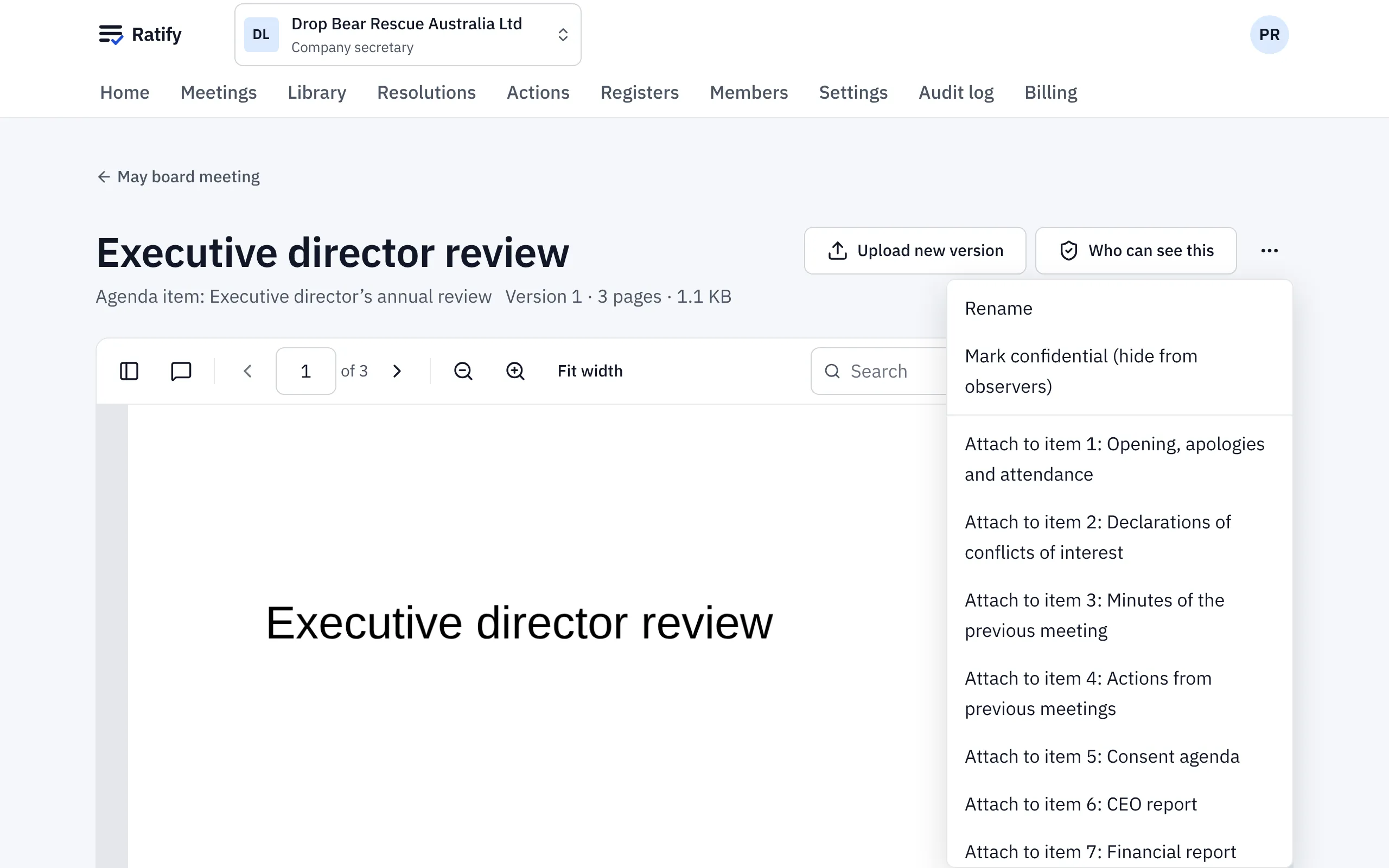
Papers on an in-camera item, and on its sub-items, are kept from observers automatically. They’re left out of observers’ board packs too, along with the item’s discussion, votes and actions.
To keep any other paper from observers, open it, choose the ⋯ menu and Mark confidential (hide from observers). Priya also marks the executive director’s review confidential, so it stays hidden from observers even if the item is later moved out of camera.
You can also keep standing documents, such as policies and the constitution, in the Library, in folders you can limit to a committee.
When every paper is ready, compile the board pack.
Related help
- Compiling and releasing a board pack
Turn the agenda and its papers into one board pack, preview it, then release it. Each person gets an email and their own copy, watermarked if you choose.
- Running a meeting: attendance, votes and actions
Use In the meeting to record who's there, note conflicts, put resolutions to the vote, record votes given in the room and assign actions as you go.