For company secretaries
The decision and conflict-of-interest registers
Every resolution and every declared conflict, in two registers Ratify keeps for you, with links to where each was decided, and a CSV download.
Updated
You don’t maintain these by hand. Ratify adds to them whenever a vote closes or someone declares a conflict, in a meeting or between meetings.
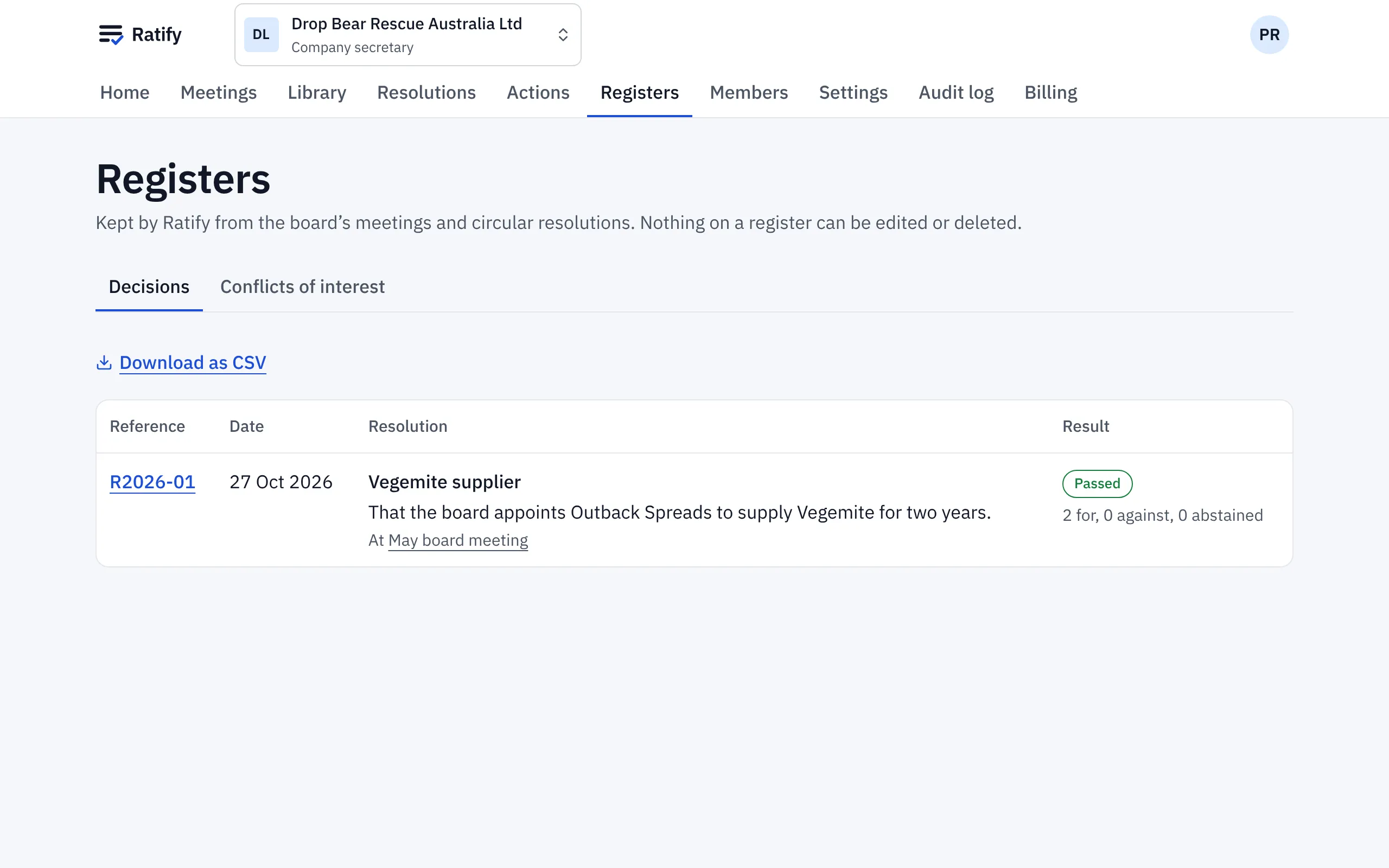
Decision register
Registers opens on the decision register: each resolution’s reference, wording, how it was decided (in a meeting or in writing), the result and the date.
Conflict-of-interest register
Choose Conflicts of interest to see every declaration: who, on what item or resolution, the nature of the conflict and what happened.
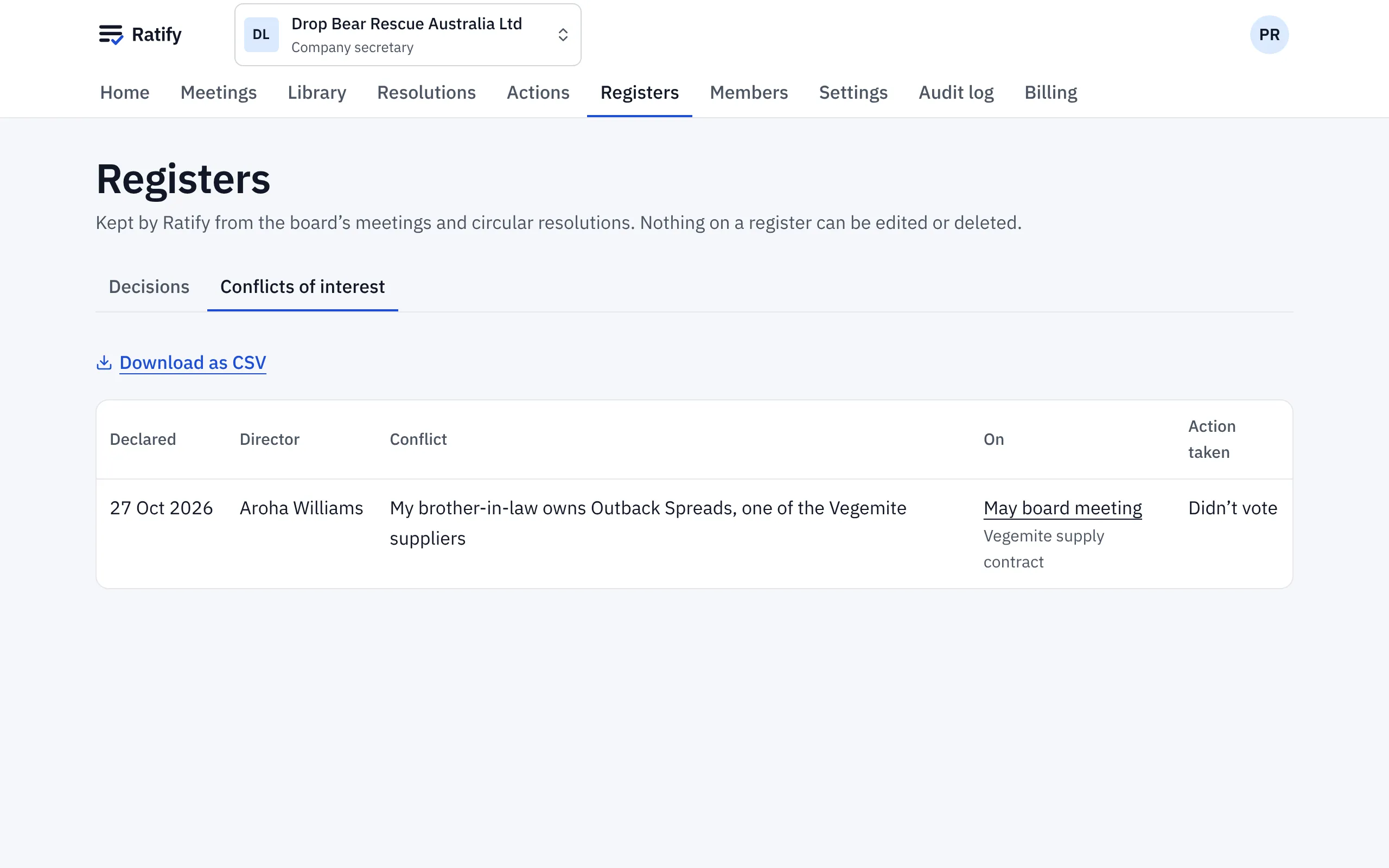
The conflict register is for the board. Observers don’t see it.
Download
Each register downloads as a CSV file, for your annual report, your auditor or your regulator.
Who sees what
People see the entries for the meetings and committees they can see. Observers don’t see entries from in-camera items.
Related help
- Running a meeting: attendance, votes and actions
Use In the meeting to record who's there, note conflicts, put resolutions to the vote, record votes given in the room and assign actions as you go.
- Declaring a conflict of interest
Tell the board about a conflict on an agenda item before or during the meeting, or on a circular resolution. Ratify records it and leaves you out of the vote.
- Circular resolutions: deciding between meetings
Put a resolution to the directors in writing, set when voting closes and what it needs to pass, and let Ratify decide it as soon as the result is certain.