For company secretaries
Board settings: watermarks, conflicts and sign-in
Choose whether board packs are watermarked, whether directors can read offline, whether a conflict withholds papers, and how members sign in.
Updated
The company secretary sets these for the whole board from Settings. Changes save as you make them.
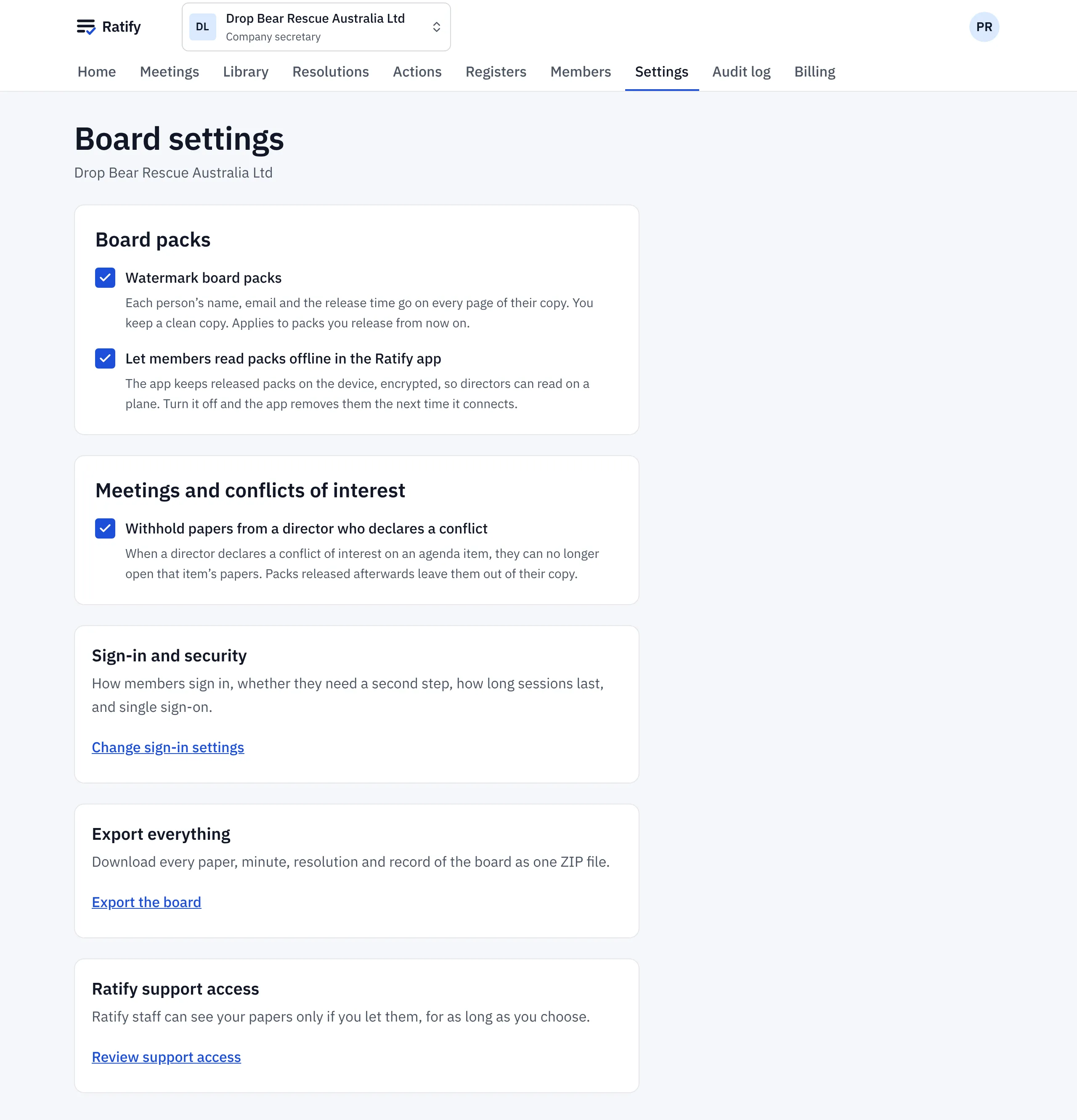
Board packs
- Watermark board packs. Each person’s name, email and the release time go on every page of their copy. You keep a clean copy. It applies to packs you release from then on.
- Let members read packs offline in the Ratify app. The app keeps released packs on the device, encrypted. Turn it off and the app removes them the next time it connects.
Meetings and conflicts of interest
- Withhold papers from a director who declares a conflict. When a director declares a conflict on an agenda item, they can no longer open that item’s papers, and packs released afterwards leave them out of their copy. Drop Bear Rescue turns this on, so Aroha doesn’t receive the Vegemite tender.
Sign-in and security
Change sign-in settings sets how members sign in (email codes, passkeys, Google, Microsoft or your own single sign-on), whether a second step is required, and how long a session lasts without activity.
Export everything and support access
- Export the board downloads every paper, minute, resolution and record as one ZIP file.
- Review support access: Ratify staff can see your papers only if you let them, for as long as you choose.
Related help
- Compiling and releasing a board pack
Turn the agenda and its papers into one board pack, preview it, then release it. Each person gets an email and their own copy, watermarked if you choose.
- Declaring a conflict of interest
Tell the board about a conflict on an agenda item before or during the meeting, or on a circular resolution. Ratify records it and leaves you out of the vote.