For observers and billing contacts
What observers can see
Observers, such as the auditor, read the agenda, papers and minutes, but not in-camera items, confidential papers or the conflict register.
Updated
Daniel Castellano is Drop Bear Rescue’s auditor. He attends board meetings as an observer.
What an observer can do
- Read meeting agendas, papers and board packs, for the meetings they can see.
- Read the minutes.
- Say whether they’ll attend.
- See the decision register.
What an observer can’t do
- Vote, or be counted in a vote.
- See the detail of in-camera items or their sub-items: their papers, conflicts, resolutions and actions. In the minutes, an in-camera item shows only its heading and “Discussed in camera.”
- Read papers marked confidential.
- See the conflict-of-interest register.
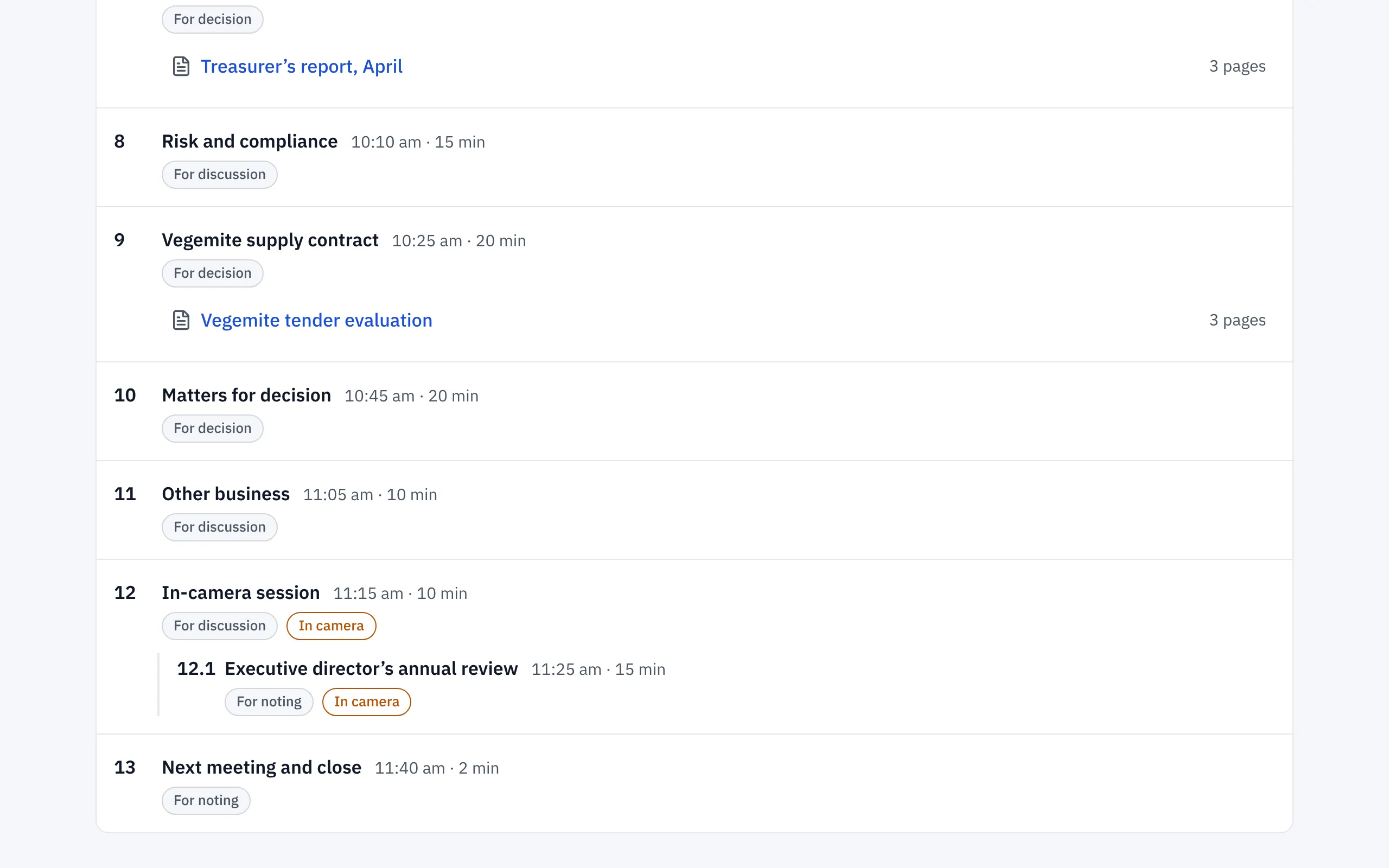
Observers still see in-camera items on the agenda, marked In camera, so they know when to leave the room.
Below, Daniel doesn’t see the executive director’s review paper, because its item sits in the in-camera session.
To make someone an observer, the company secretary invites them with the Observer role, or changes their role on the Members page.
Related help
- Inviting members and choosing their role
Invite directors, the chair, observers and a billing contact by email, choose their committees, and change a role later from the Members page.
- Reading a board pack and making notes
Open the pack from your email or home page, jump to an agenda item, search, and highlight, keep private notes or comment, on a computer, iPad or phone.